
DocsAncillary data
Ancillary data
Here you’ll learn how to link the code, data, proofs and workflows behind a work, which sites each kind of link may point to, and what the Hub records about each one when it stamps it.
01What stamping is
You add ancillary data on the Ancillary data step of the submission form, or later on the work’s Manage page: one group each for code, data, and workflows & proofs. After you finalize, the Hub stamps every link: it goes and retrieves it, and records what it found and when.
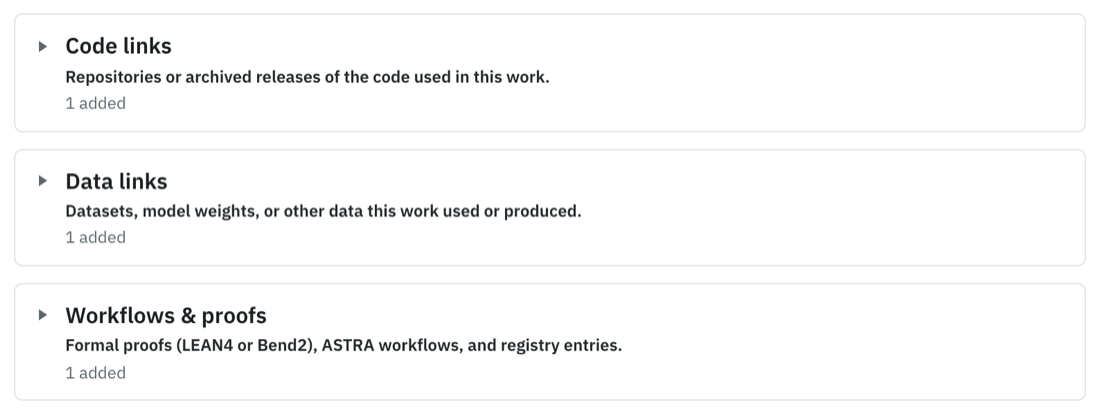
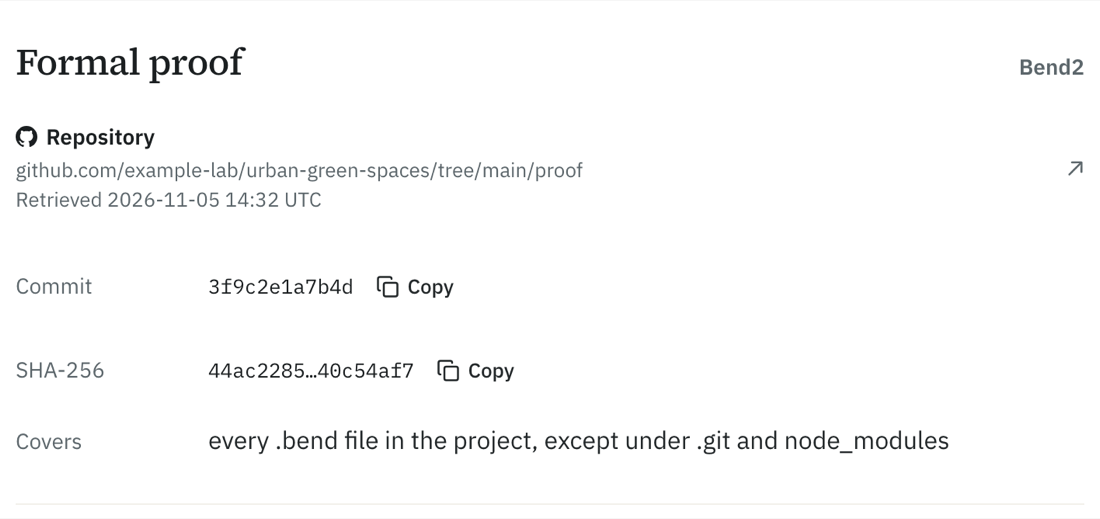
Depending on the link, stamping records:
- that it is public and still there (a deposit record, a repository page, a registry entry);
- the exact commit a repository link resolves to, on GitHub, GitLab, Codeberg and Hugging Face: the branch, tag or commit the link names, or the default branch’s head for a bare repository link;
- the SHA-256 of a linked file, up to 50 MB;
- for a formal-proof project, a snapshot hash over the project’s source files, so the same proof gets the same hash however it was checked out or archived.
Readers see the result on the work’s Ancillary data tab. A link whose hash the Hub computed itself reads as verified; one it reached without a hash of its own (a repository page, a record, a file too large to hash) reads as reachable. A draft can’t be published until every link has passed; fix or remove a failed one on the Manage page and the Hub checks it again.
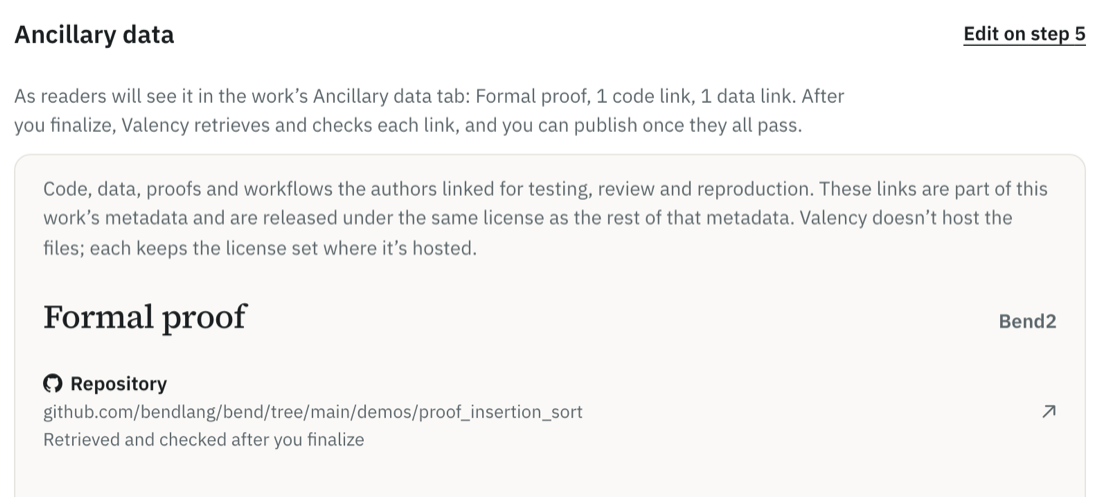
Links must be https, on one of the sites listed for their kind below. Sites are matched exactly (a leading www. is fine), so gist.github.com or a personal website is refused.
02Code
Up to ten links to the code used in the work: a repository, a directory or file in one, or an archived release. Allowed sites:
- GitHub (
github.com,raw.githubusercontent.com) - GitLab (
gitlab.com) - Codeberg (
codeberg.org) - Hugging Face (
huggingface.co) - Zenodo (
zenodo.org) - Figshare (
figshare.com) - OSF (
osf.io) - Dryad (
datadryad.org) - Harvard Dataverse (
dataverse.harvard.edu) - Software Heritage (
archive.softwareheritage.org)
Typical choices are a GitHub, GitLab or Codeberg repository, a Zenodo release, or a Software Heritage archive. A repository is pinned to a commit; a single file is hashed.
03Data
Up to ten links to datasets, model weights or other data the work used or produced. Allowed sites are the same as for code:
- GitHub (
github.com,raw.githubusercontent.com) - GitLab (
gitlab.com) - Codeberg (
codeberg.org) - Hugging Face (
huggingface.co) - Zenodo (
zenodo.org) - Figshare (
figshare.com) - OSF (
osf.io) - Dryad (
datadryad.org) - Harvard Dataverse (
dataverse.harvard.edu) - Software Heritage (
archive.softwareheritage.org)
Typical choices are a Zenodo, Figshare, OSF, Dryad or Harvard Dataverse deposit, or a Hugging Face dataset or model. A deposit record is confirmed to exist and be public; a single file is hashed.
04Proofs
One formal proof, written in LEAN4 or Bend2 — choose its language first, then link it:
- LEAN4. Lean 4 is an interactive theorem prover and programming language: a proof is a program its kernel checks. A Lean project is built with Lake, Lean’s build tool. Link a Lake project, or a single
.leanfile. - Bend2. Bend 2 is a programming language whose compiler checks proofs: a project states the rules its code must keep in
LAWS.bendand proves them inPROOF.bend(see the Bend demos). Link a Bend project or project folder, or a single.bendfile.
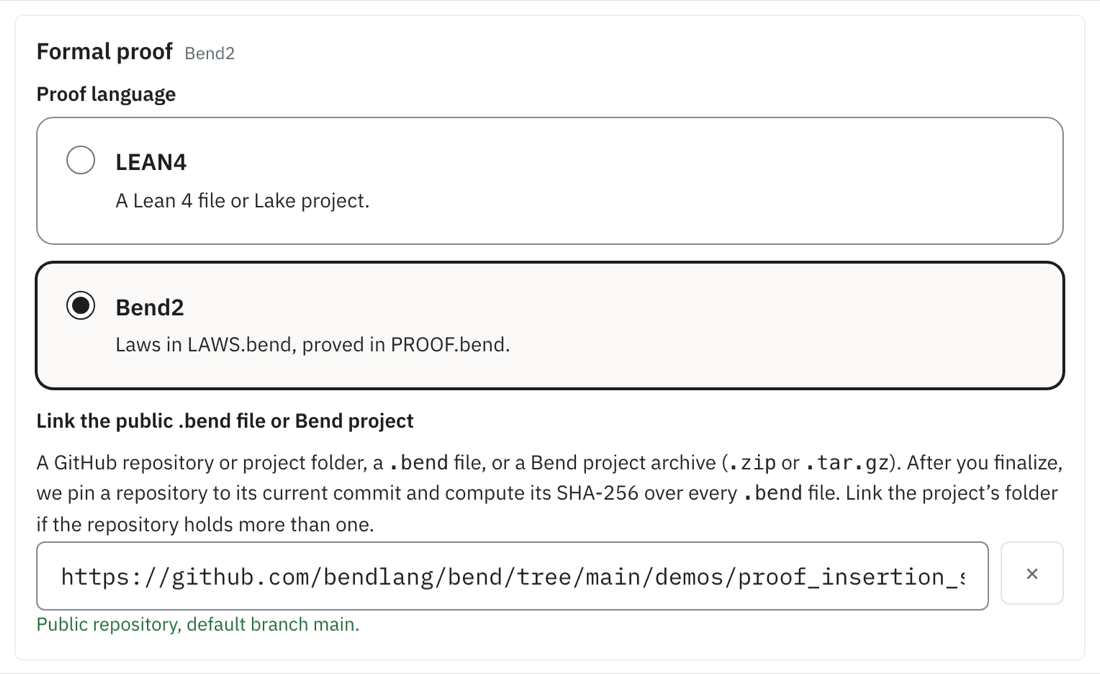
Allowed sites for a formal proof:
- a GitHub repository (
github.com/owner/repo), optionally with/tree/<branch>/<folder>or/commit/<sha>: pinned to a commit and given a snapshot hash. Link the project’s folder if the repository holds more than one project; - a
.leanor.bendfile, or a.zip,.tar.gzor.tgzarchive of the project, on any of the sites listed for code.
For LEAN4 the snapshot covers lean-toolchain, lake-manifest.json and every .lean file; for Bend2 it covers every .bend file. Build output and dependency folders (.lake, .git, node_modules and the like) are left out.
One registry entry for the proof, on one of two registries:
- the Palomar Registry (
palomar-registry.org, an entry page such aspalomar-registry.org/entry?id=PALOMAR-…, or its data file ondata.palomar-registry.org): the Hub looks the entry up; - prove2.me (
prove2.me/missions/…): a mission can’t be checked automatically, so only the link’s format is checked, and it never blocks publishing.
Up to ten other proof or workflow links for supporting material: any page on the sites listed for code.
05Workflows
One ASTRA workflow. ASTRA (Agentic Schema for Transparent Research Analysis, from Lightcone Research) is a YAML format that records every consequential choice in an analysis — its inputs, outputs, decisions and the evidence behind them — in an astra.yaml file, so that a person or an agent can reproduce and audit it.
Link an astra.yaml (or .yml) file, or a project .zip containing one, on any of the sites listed for code. The Hub downloads it (up to 50 MB), checks it against the ASTRA schema and computes its SHA-256. Other workflow material goes under other proof or workflow links.
06If it isn’t public yet
A formal proof or an ASTRA workflow can be registered by its SHA-256 alone, with no link: it shows you have the artifact without revealing it. For a project that is its snapshot hash, computed the same way the Hub would compute it from a link. Add the link once the artifact is public, and the Hub computes its own hash and compares the two. Code, data and registry entries always need a link.